Discover how a nonprofit LMS can improve training for staff and volunteers. Learn which features to look for and how to get started with a new platform.
Imagine your nonprofit is planning to welcome forty new volunteers at a training session today. The volunteer coordinator who usually runs orientation is out sick, and the training materials and safety checklist are spread across old emails and folders. Your team does its best to pull everything together, but your new volunteers leave without a clear understanding of your organization’s policies or how they fit into your work.
This situation may be familiar, even when your team puts great care into training volunteers and new staff members. With a small team, a tight budget, and no shortage of responsibilities, it can be difficult to create high-quality training materials and keep them organized for those joining your organization.
The good news is that a nonprofit learning management system (LMS) can make training much easier to manage. An LMS gives your organization a single place to create materials and deliver training that staff members and volunteers can complete on their own schedules, while providing you with a clear view of who has completed what. With the right platform, you can build better lessons, share them with everyone, and spend more of your time on your mission.
In this guide, we'll cover:
 Nonprofit LMS FAQs
What is a nonprofit LMS?
A nonprofit LMS is an online platform that allows your organization to create training materials, assign them to staff members and volunteers, and track who has completed training.
Nonprofit LMS platforms share many similarities with the general-purpose solutions that for-profit companies use, but they differ in meaningful ways. Corporate platforms are typically priced per user and designed for organizations that have a dedicated training or instructional design team and a stable roster of employees.
However, your organization's learners might include a small group of staff members who each wear many hats, a fluctuating number of volunteers, and board members who need occasional training. An LMS designed for nonprofits is likely to be a better fit, since these platforms often include easier-to-use authoring tools; flexible, budget-based pricing; and reporting designed around compliance with funder requirements and regulations for nonprofits.
What do nonprofits use LMS platforms for?
Nonprofits use LMS platforms for many kinds of training, but they are especially helpful for onboarding. With online onboarding modules, new staff members can review policies on their own and know where they can find them for future reference. New volunteers have time to complete lessons before their first shift, so your in-person training sessions can focus more on answering questions and building relationships.
Beyond onboarding, your nonprofit may use an LMS for ongoing staff training, volunteer training, safety training, and professional development opportunities for team members who want to build new skills.
Many nonprofits also use their LMS to track training required by law or their funders, such as harassment prevention, privacy requirements like HIPAA, and workplace safety. For instance, if a grant requires you to show that every staff member completed a compliance course, you can pull a report from your LMS rather than trying to figure out who completed what from sign-in sheets and email confirmations.
Which is better: free or paid LMS options for nonprofits?
Whether a free or paid platform is better depends on your training needs. A small organization with a handful of simple lessons and no reporting requirements may be able to get by with a free platform, but you generally get more from a paid option. An advanced LMS is more likely to offer robust reporting capabilities, ready-made training content, and a hands-on support team. Since your training needs will likely grow along with your organization, it is also worth considering whether a free tool will still work for you in a year or two.
Many systems are also more affordable for nonprofits than you might expect, so explore your options before ruling out paid platforms. As you compare, look for a nonprofit LMS that offers pricing based on your organization's size or operating budget instead of charging per seat. This pricing model allows you to add volunteers and seasonal staff members without incurring additional costs each time your number of learners grows.
Do we need a dedicated training team to use a nonprofit LMS?
No, you do not need a dedicated training team or an instructional design specialist to use an LMS effectively for nonprofits. Many platforms include authoring tools that walk you through building a lesson with text, images, video, and quiz questions, so your team members can create materials without a design background. Some platforms also offer ready-made content, which means your team can start training people right away and create your own materials gradually.
Benefits of Using a Nonprofit LMS
While any new software takes time to get used to, investing in an LMS is well worth the learning curve. The effort you put into creating your content library pays off in the long run, helping your organization deliver a high-quality training experience to a growing number of staff and volunteers.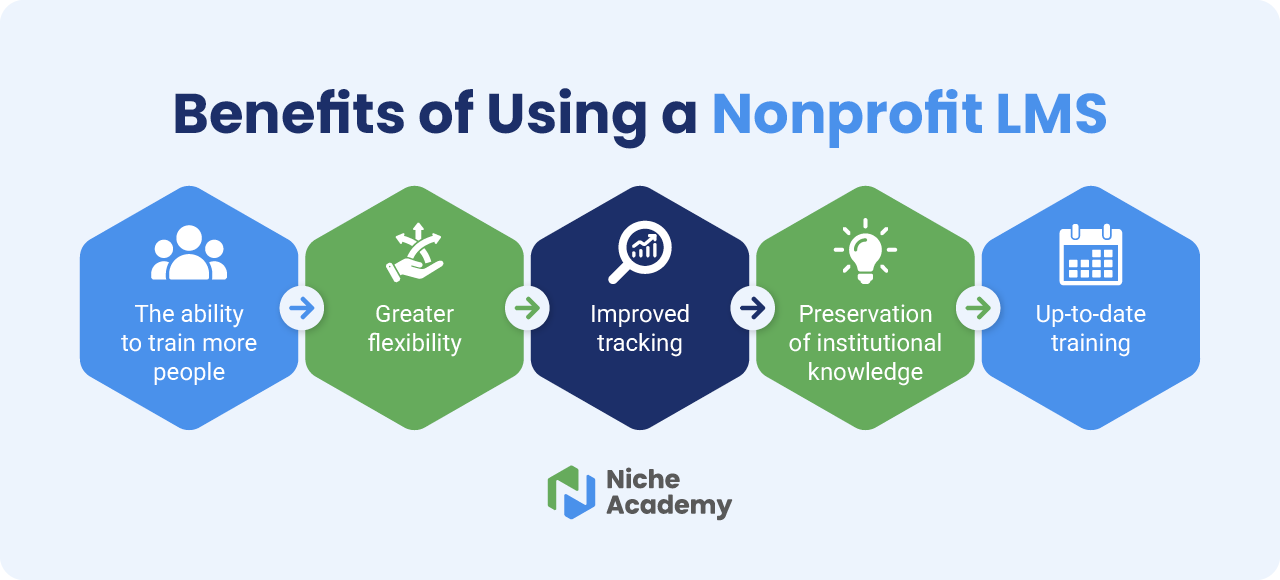 Benefits of using a nonprofit LMS include:
-
The ability to train more people. An LMS allows you to train more staff members and volunteers without sacrificing quality or asking too much of your existing team's time. For instance, instead of leading the same orientation session every month, a volunteer coordinator can create detailed online lessons and assign them to all new volunteers, so each person receives the same information.
-
Greater flexibility. Staff members and volunteers often balance their service with jobs, school, and family commitments. Online, self-paced resources let them complete training anytime, rather than attending a session scheduled for a specific day. Choosing a mobile-friendly LMS adds even more flexibility, since your learners can complete lessons on the go from a phone or tablet.
-
Improved tracking. Many nonprofits are required to track training related to safety, privacy laws, and workplace regulations to maintain legal compliance and demonstrate responsibility to funders. A nonprofit LMS with progress-tracking features simplifies this process by recording who has completed each lesson and providing reports you can share with funders and regulators.
-
Preservation of institutional knowledge. A nonprofit LMS keeps important information and policies together in one place, which saves your team from having to dig through old emails and shared drives to find what they need. It also allows you to document your training process for future reference. Even if a longtime staff member leaves, you'll still have access to comprehensive training materials that you can use to prepare future hires.
-
Up-to-date training. Policies, regulations, and funder requirements change over time. With an LMS, you can update a lesson or add new resources any time, and every learner will be able to see the latest version. Your staff and volunteers can also revisit lessons whenever they like, which helps them refresh their skills and avoid forgetting what they've learned.
An LMS helps your organization build a repeatable yet adaptable training experience that helps new staff members and volunteers feel more capable from day one, while saving your existing team members’ time for mission-critical work.
Features to Look For in a Nonprofit LMS
From food banks to art museums, every nonprofit has its own training needs, meaning no single LMS will work for every organization. However, a few capabilities tend to be particularly helpful.
Consider LMS platforms with the following features:
-
Accessibility and mobile-friendliness. Any person should be able to access your materials from anywhere. Look for a platform that meets the Web Content Accessibility Guidelines (WCAG) and supports keyboard navigation, screen readers, video captions, audio transcripts, and sufficient color contrast. A mobile-friendly platform lets staff members and volunteers complete training wherever they are, rather than waiting until they're back at a computer.
-
Authoring tools. Look for an LMS that allows you to create training materials on the platform. Authoring tools can make it easier to build lessons without instructional design experience and allow you to create and deliver your training from the same place.
-
Ready-made content. A library or market of pre-made content means you don't need to start from scratch. This feature is particularly helpful for organizations without a dedicated training team, since it gives you more time to get comfortable with creating content of your own. For instance, you might assign a ready-made lesson on harassment prevention while you work on materials specific to your programs.
-
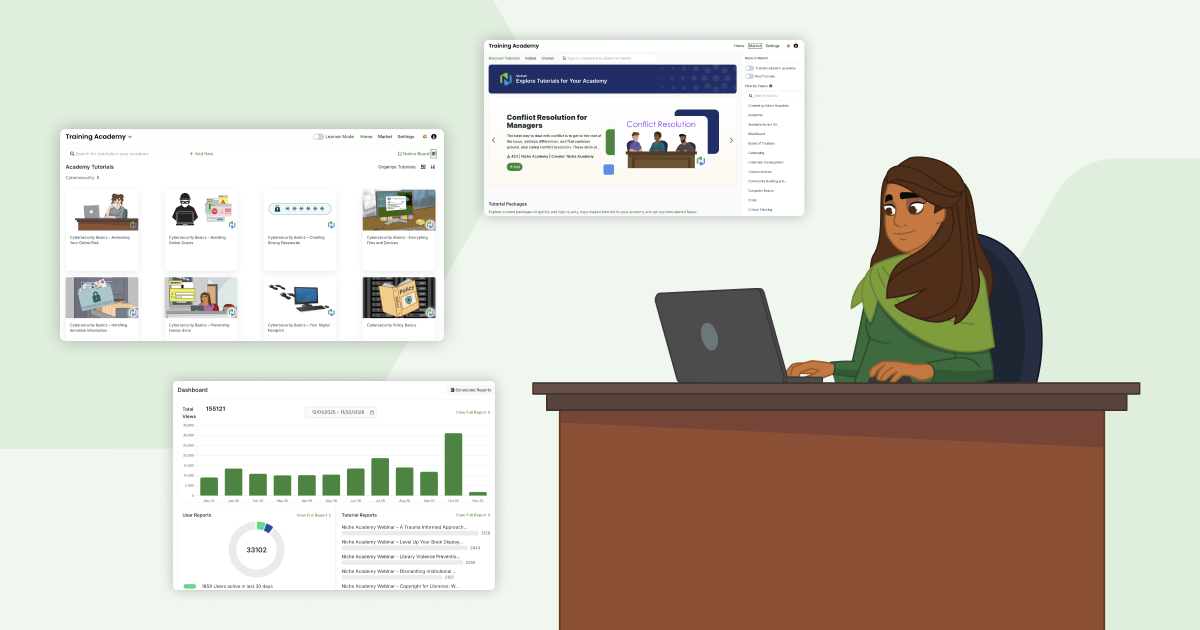
Progress tracking and reporting. Choose a platform with built-in progress tracking that can generate reports to show you who has completed which training modules. These reports help you maintain compliance and ensure that everyone on your team has received the training they need.
-
Integrations and website compatibility. Your LMS becomes easier to use when you can connect it to the other systems your nonprofit relies on, such as single sign-on (SSO) tools and HR platforms. It's also helpful if you can embed the platform into your content management system (CMS), so you can place training materials on your website.
- Nonprofit-friendly pricing. A system that charges by the number of users isn't always compatible with the way nonprofits operate, since they often have large groups of volunteers coming and going. Instead, look for a platform with pricing based on your budget, so you can add learners as needed without worrying about additional fees.
Prioritizing these features helps you select a platform that your team will want to use. Your LMS should fit how your staff and volunteers already work, so they’re more motivated to log on and make the most of your training materials.
4 Steps to Get Started With an LMS for Nonprofits
A structured approach to selecting and implementing a new LMS platform can help ease the transition for your team and allow you to deliver a better training experience for anyone who joins your organization. Follow these four steps to get started.
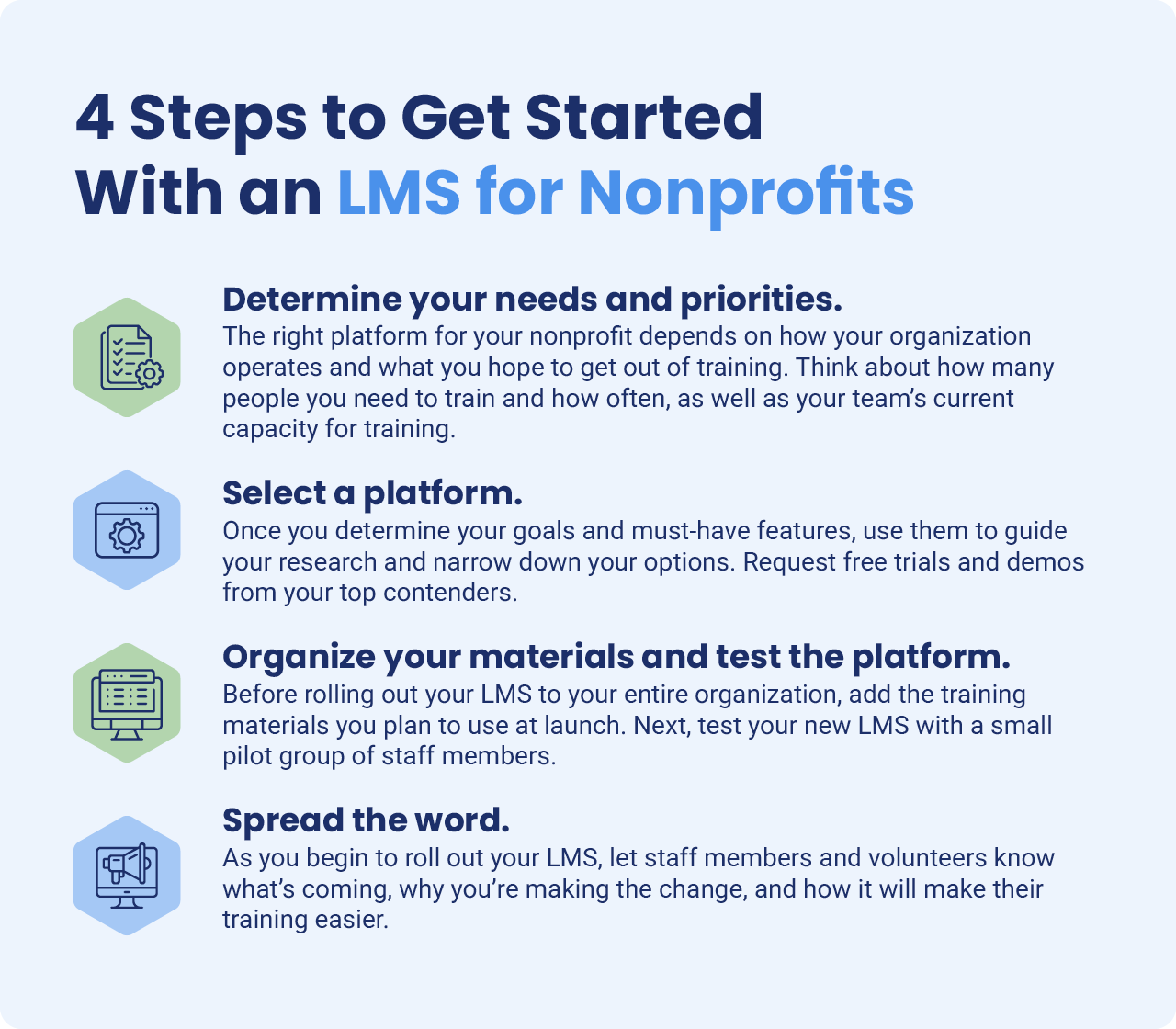 1. Determine your needs and priorities.
The right platform for your nonprofit depends on the way your organization runs and what you hope to get out of training. A volunteer-driven community center, for example, will have very different needs than a small advocacy group with a handful of long-term staff members. As you begin thinking about LMS platforms, ask yourself these questions:
-
Who are we training, and how often? The size of your team, the breadth of their work, and their turnover rate can determine what kind of pricing model and features to seek out in an LMS. For example, an organization with a rotating cast of volunteers spread across a variety of programs might benefit from an LMS with plenty of ready-made content and pricing based on budget rather than the number of learners.
-
What systems do we need to connect to our LMS? Think about the other technology your team relies on, such as your HR platform or single sign-on (SSO) system, and decide which tools you would like to integrate with your LMS. From there, you can find a platform that offers the integrations or website embed capabilities your organization needs.
- What is our team's current capacity for training and instructional design? If your team has limited time to build courses from scratch, ready-made content and simple authoring tools should sit near the top of your list of must-have features. On the other hand, if you have a dedicated instructional design expert or training team, these capabilities are less likely to be a priority.
Then, consider how training relates to your nonprofit's broader priorities and compliance requirements. For instance, an organization that must document harassment prevention training for a major grant should treat progress tracking and reporting as a necessity in the LMS platforms it considers, while one that onboards seasonal volunteers each summer might prioritize pricing and ease of use.
2. Select a platform.
Once you determine your goals and must-have features, use them to guide your research and narrow down your options. Compare what each vendor offers against your list, and read customer reviews to learn how each platform performs on a day-to-day basis. Peer organizations can also be a valuable source of information, so consider asking other nonprofit leaders which systems they use and what they like most about them.
Next, request free trials and demos from your top contenders. During each trial, try building a short lesson or assigning it to a colleague, rather than clicking through the interface, for a better picture of how it would work for your team. Additionally, think about how your organization would manage the implementation of the new platform, including who would oversee the process and how much time they would need to set aside to get the platform up and running.
Questions to keep in mind as you assess the logistics of getting started with a new LMS include:
-
How long does it take to get started with the platform, according to the vendor and customer reviews?
-
Is there ready-made content available?
-
Are users able to upload existing content, or will everything need to be created from scratch?
-
What system integrations are available?
-
Can it connect to your website?
-
What kind of support does the vendor offer?
Careful consideration at this stage helps ensure you make a smart investment in a platform that will serve your organization for years to come.
3. Organize your materials and test the platform.
Before rolling out your LMS to your entire organization, take some time to prepare. Begin by adding the training materials you want to use when you first launch it. Depending on what you have available, you may upload existing handbooks, slide decks, or videos; select ready-made content; or create new lessons. That way, your materials will be ready and waiting for staff members and volunteers to access as soon as you introduce them to your new platform.
Next, test your new LMS with a small pilot group of staff members. Ask them to complete a lesson and tell you what worked well and what they recommend changing. Their feedback can help guide how to structure your training and tell you what kind of context and instructions your staff and volunteers will need to get comfortable using the platform.
4. Spread the word.
As you begin to roll out your LMS, let staff members and volunteers know what's coming, why you're making the change, and how it will make their training easier. For instance, you might explain that your team will be able to complete training on their own time and find answers to common questions in one place.
Provide clear instructions on how to navigate the platform by offering resources such as a how-to guide or a live walkthrough for anyone who wants extra support. Then, give your team a short first assignment to try it out. A welcome lesson or quick quiz about your mission helps ensure everyone can log in and get comfortable with the tools before they receive additional training assignments. Check in with your team a week or two later to offer support to anyone who needs more help getting started.
See What a Nonprofit LMS Can Do For Your Organization
A nonprofit LMS can help you improve your training, no matter how many staff members and volunteers join your team. To take the next step, begin by identifying your current priorities and using them to find a platform that fits the way your nonprofit works.
Niche Academy’s nonprofit LMS serves organizations across a variety of cause areas with ready-made tutorials, authoring tools for creating your own training, progress tracking and reporting to help you stay compliant, and pricing based on your operating budget, not your headcount. If you're ready to see how an LMS could work for your team, we'd be glad to help you meet your training goals.